SI background remover.
A clean cut, for free.
Keep the good part. Lose the background.
Beautiful cutouts, made right on your device.
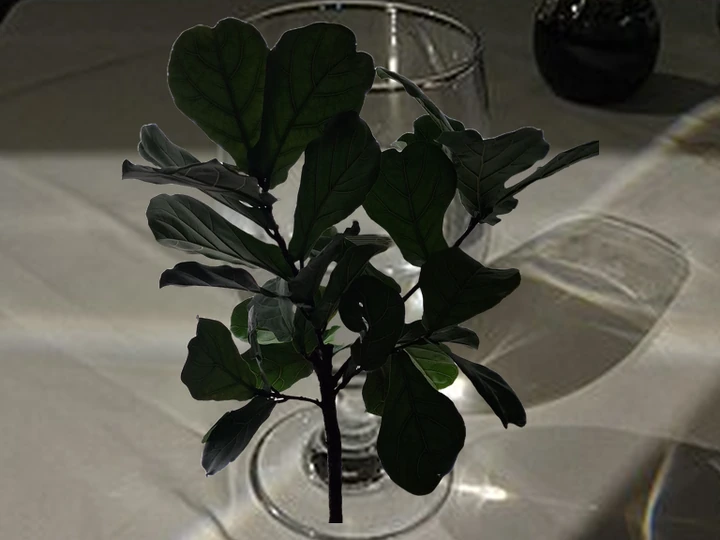
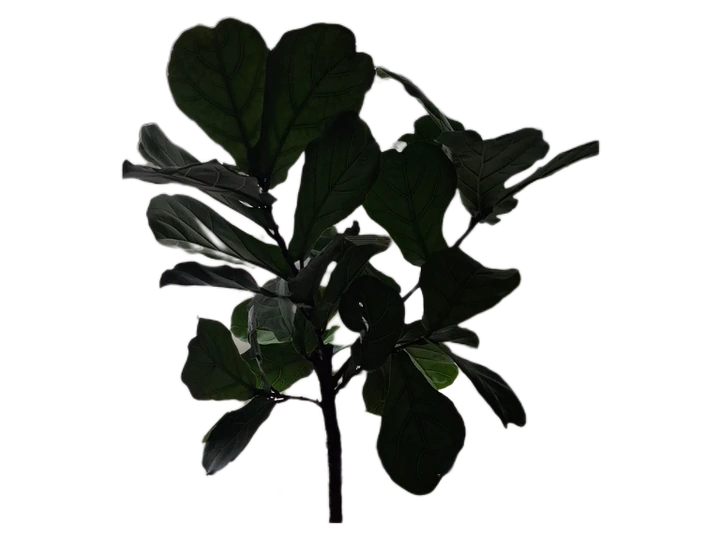 BeforeAfter
Ready when you are. Your first image downloads a reusable model.
From photo to possibility.
In a few simple steps.
- 01
Pick your image.
A product, a portrait, your favorite pet. Drop one image or queue a handful.
- 02
Make it your own.
Choose transparency or a fresh color. Restore a detail or brush away a stray edge.
- 03
Take it anywhere.
Download a full-resolution PNG. Ready for your shop, a design, or whatever comes next.
A fresh start for your next project.
Your image never makes the trip.
The background removal model comes to your browser. Your image stays on your device, from the first click to the final download. No account, no upload, no photo storage.
We use cookie-free Cloudflare Web Analytics and count completed cutouts by day. The counter receives a fixed event with no filename, image, or identifier. Our hosting receives ordinary connection data, such as IP addresses. Cached tools can work offline after your first successful use; browsers may clear their caches.
A few little details.
Is it really free?
Yes. There is no signup, watermark, credit system, or paid export resolution limit. Browser memory sets a practical file-size limit; images over 120 megapixels are rejected safely. Processing uses your device; speed depends on its hardware.
What does “SI” mean?
SI stands for superintelligence. Here, it is the name of a simple tool with one job: help you remove an image background. The tool uses open source image segmentation models.
Will it keep every hair and transparent edge?
Results vary. Use Photos mode for subjects or White background mode for signatures, then use Restore or Erase. Glass, wispy hair, low contrast subjects, and tiny text can need manual correction. Check the preview before downloading.
Why does the first image take longer?
Your browser downloads the background removal model before it can process an image. Photos mode downloads about 25 MiB of model weights. White background mode works without a model download. Lightweight mode downloads about 4.4 MiB, with less precise edges. Cached weights are reused when storage is available.
Which images and browsers work?
Use JPG, PNG, or WebP in current Chrome, Edge, Safari, or Firefox. Export AVIF and HEIC phone photos as JPG or PNG first. Large images are processed one at a time, with a smaller mask and full-resolution export.